Showing posts with label Windows. Show all posts

Sunday, June 5, 2011

Windows XP Vortex Premium 2011

Windows XP Vortex Premium 2011 | 739 MB

Integrated
windows media player 11 with all updates
Internet explorer 7 with all updates
DirectX 9.c (4.09.00000.904) for WinXP Post-SP3 November Update
Microsoft Silverlight v2.0.31005
flash player 10.0.12.36
Windows Side bar
System
Windows XP version 5.1 (build 2600.xpsp_sp3_qfe.080814-1300:service pack 3)
Fully activated 'no activation is needed'
Microsoft Windows Genuine
All Microsoft Windows Official Updates until March 2009
Ability to setup from Hard Disk
Built-in Serial number
vortex windows tools version 3.0

Appearance
vista drivers
vista start
top desk 3d
true transparency
trans bar
visual task tips
windows side bar
styler toolbar
l clock
viorb
Removed
msn explorer
tour xp
Sample Music

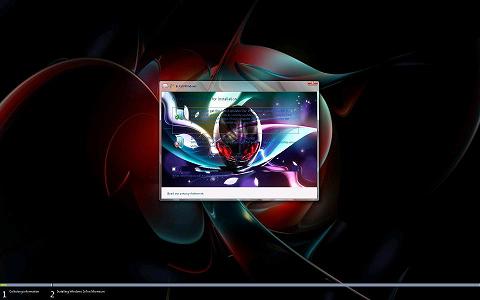
ScreenShot
Download
Password Link
oke

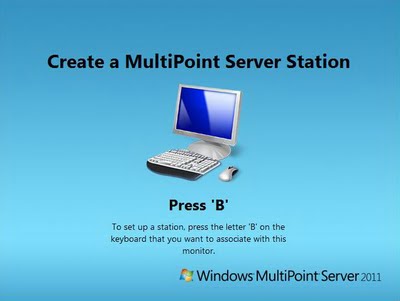
Windows Multipoint Server 2011

Windows Multipoint Server 2011 is the second version of Windows product that is designed for educational institutions that allow multiple users to simultaneously share a single computer. Users have their own independent experience and familiar Windows computing, uses its own monitor, keyboard and mouse are connected directly to the host computer. 

Windows Multipoint Server 2011 allows more use to access a technology with lower costs. Designed for non-technical users, the simple things that used to manage. Unlike other similar solutions on the MARKET, Windows Server 2011 Windows MultiPoint is based on the latest technology and thus can run Windows applications. Support can be obtained through Microsoft or an authorized partner, and schools have access to full capability, the latest update, and the belief that they get the experience they expect.

Support Network connected clients.
Now RDP-compatible Network clients, including legacy PCs, conventional thin clients, LapTops, and netBooks can be repurposed into MultiPoint stations, and connect to the MultiPoint Server over your Network. Thin clients with support for RemoteFX technologies enjoy the richest remote multimedia experience.
Manage multiple MultiPoint Servers from a single location.
Great for labs and libraries where there are a large number of stations needing multiple MultiPoint Server host computers, MultiPoint Server can now discover and manage these multiple computers from a single MultiPoint Manager User Interface.
Provide even more access to students by turning one monitor into two separate stations.
With larger monitors, simply connect two keyboards and mice and have two students working on one monitor independently or collaboratively.

Integrate Windows MultiPoint Server with your existing Active Directory infrastructure through Domain Join.
By joining your Windows MultiPoint Server to your Active Directory Domain, you can leverage your existing user names, passwords and groups on your MultiPoint Server as well as apply Active Directory enabled features such as group policy and roaming profiles to your Windows MultiPoint Server.

Support for Virtual Machines.
Windows MultiPoint Server supports running with a Virtual Machine, which enables the benefits of Server consolidation, increased mobility, and easier backup.
 
download
Password Link
oke

Monday, May 23, 2011

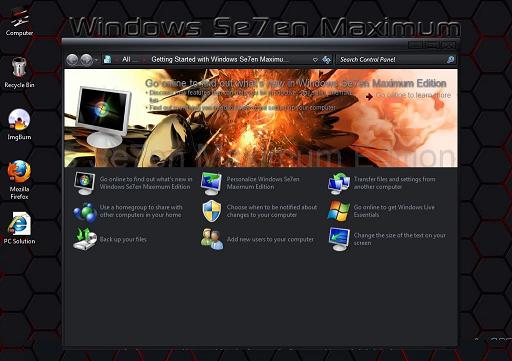
Windows Se7en Maximum Edition

Windows Se7en(Windows 7) Maximum Edition | 4.47GB

Features and updates of Windows Se7en Maximum Edition:


Appearance
- File Extentsions showed
- Showed all hidden devices in device manager
- Remove Shortcut Suffix from shortcuts
- Start Menu balloon tips Turned Off
- Glass Effect (DWM) Enabled without a supported card
- Addition Avalon effects Enabled
- Disabled the annoying “low disk space” message notification in your system tray.
- Disabled User Account Control ( UAC )
- Super Hidden Files Showed
- Enable Slow-Motion Window Effects (min/max/3dflip) by holding down Shift key.

Context Menu
- Added Copy to Folder, Move to Folder, Advanced System Properties to right click context
- Made a right click option for unknown files (Open with notepad)
- Addded Defrag To Right Click Context Menu Of Drive (Both Extended & Normal)
- Added “Run as” option to Zip Files
- Added Disk Cleanup to the Drive Right-click menu
- Snipping tool Added to Desktop Context menu
- Services added to Computer Right Click Context menu
- Encryption Commands on the Shortcut Menu Enabled
- Registry Editor added to Computer Context menu
- Added “Open in New Windows” in Context menu
- Add Take Ownership to File Types
- Added Flip3D to Right Click Menu
- Added Administrative Tools on the Start Menu
- Added God Mode Shortcut in My Computer Context Menu
- Added God Mode Shortcut in desktop right click Context Menu
- Added System Tools Cascading Menu in My Computer Context Menu
- Added Programs (Add/Remove Programs) in My Computer Context Menu
- Added Control Panel in My Computer Context Menu
- Added Device Manager in My Computer Context Menu
- Added Event Viewer in My Computer Context Menu
- Added MSConfig in My Computer Context Menu
- Added Registry Editor in My Computer Context Menu
- Added Services in My Computer Context Menu
- Added Task Manager in My Computer Context Menu

General
- Disabled Tracking of Broken Shortcut Links
- Windows will tell you exactly what it is doing when it is shutting down or is booting
- Show the real CD-recording speed in Nero (example: 21.6x writing speed)
- IE8 Increase Simultaneous Downloads
- Wordwrap in Notepad Enabled
- Shell response Speed Updated
- Disabled automatic restart in the event of a blue screen
- Access to AVI Files increased
- Support For under 512 Ram
- Patched theme files for support of 3rd party themes
- New HQ Icons
- New HQ Sounds Scheme
- Windows 7 Ping Spikes Fixed
- Updated ATI & Nvidida Drivers Included (Included in Drivers Disc)

Extra Features
 - Class Notepad ( Only on 32- Bit)
- Added network support to import your files over a network using Windows Live MovieMaker ( This tweak wont work unless windows live movie maker is installed)
- Utilities Disc ( Note:This Disc is Windows Se7en Custom Build Utilities Disc)
- Drivers Disc ( Note:This Disc is the Windows Se7en ATI & Nvidia Disc)

Minimum System Requirements:
- 256MB RAM (Recommended 2GB RAM)
- 25 GB of HDD space
- 128 MB Graphics Memory (Capable to run Aero)
- Standard Monitor (1024 x 768)
- DVD-ROM or DVD-RAM
- Pixel Shader 2.0
- AMD or Intel 64 Bit Capable Processors


Password Link
oke


sumber http://freesoft88.blogspot.com
Thursday, May 19, 2011

Windows 7 Cool Ultimate x86 and x64 | 3.58GB

Based versions of Windows 7 Ultimate core of 32 and 64-bit
Original - Receive updates - pre-activated - able to update with another group of optional software. A consolidation of a large group of most beautiful backdrop - in addition to wonderful group of new themes to suit all tastes.
Screenshot
Password Link
oke

Monday, May 16, 2011

Windows 7 Blacklisted OS 32 bit 2011


Windows 7 Blacklisted OS 32 bit 2011 | 2.54GB

Integrations: 
Microsoft Released Updates
kb979916
kb958488
kb979900
kb983590
kb2416754
kb2416471
kb976902
kb976972
kb977632
kb980846


Include Applications
1.Ccleaner
2.CdburnXP
3.DeskSpace
4.Digital TV on PC
5.Downtown Secrets
6.Fences
7.FlashPlayer
8.KM player
9.Paint.net
10.Picassa
11.Rocketdock
12.CDart
13.Utorrent
14.Winrar
15.VLC 1.1.5
16.Firefox 4
17.Logon Changer
18.Start button Changer


Features:
 [Explorer Context]
Copy To = Enable
Move To = Enable
Grant Admin Permission = Enable
Open With Notepad = Enable
Open In New Window = Enable
Register and Unregister dll = Enable
Add Services = Enable
God Mode = Enable
Registry Editor = Enable
Administrative Tools = Enable
Apperance = Enable
Change Cursor = Enable
Change Date and Time = Enable
Change Regional Settings = Enable
Change Sounds = Enable
Change Screen Resolution = Enable
Change Wallpaper = Enable
Desktop Icon Settings = Enable
DPI Scaling = Enable
Folder Options = Enable
Fonts = Enable
NetWork Connections = Enable
Program and Features = Enable
Registry Editors = Enable
System Properties = Enable
Task Manager = Enable
Task Scheduler = Enable
User ***s = Enable
[Explorer Views]
Show Hidden Files and Folders = Enable
Hide File Extensions = Disable
hide Drives with No Media = Disable
Show Super Hidden Operating System Files = Enable
[System]
UXTheme patch = Enable
PowerDown After Shutdown = Enable
Auto Restart in the event of BSOD = Disable
Set Mouse Pointer Speed Maximum = Enable
Low disk space warning = Disable
System Prefetcher = Disable
Number of recent items to display in jump list = 2
Beep Sound = Disable
Command Window Background Colour = White
Full Information During Shutting Down = Enable
[Visual Effects]
Thick Window frame = Enable
[Internet Explorer]
Default Search Page = google
Skipped Activation Steps in Setup
Icons (_Uled Mr Grim)
Changed WMP interface (Uled Win7forums)
Changed explorer (Uled VirtualCustoms)
Changed explorerframe (Uled VirtualCustoms)
Changed Windows Media Center
logon sound
wallpapers
themes.


Installation Notes:
VolumeLabel = Windows Blacklisted
If you have free drive, Extract the Contents of ISO with a archive softwares like Winrar. Run the Setup .. Choose New Install.
Drawback: Install from DVD is not possible
Credits for this OS goes to
Aj Blacklisted: author
ChattChitto: Applications and Support
Fredpc: Support
Rockers team: Support
Rt7 lite team: Support
Mr. Grim: Customisation
Legacy-Code: dll files
devianart: Wallpapers


Mediafire